Home    News, Tech news  HOW TO CHANGE LOCATION AND ADDRESS ON GOOGLE MAP

HOW TO CHANGE LOCATION AND ADDRESS ON GOOGLE MAP

Thay đổi địa chỉ & vị trí trên Google doanh nghiệp

Step 1: Open the browser, type Google Business in the address bar, click the first link link
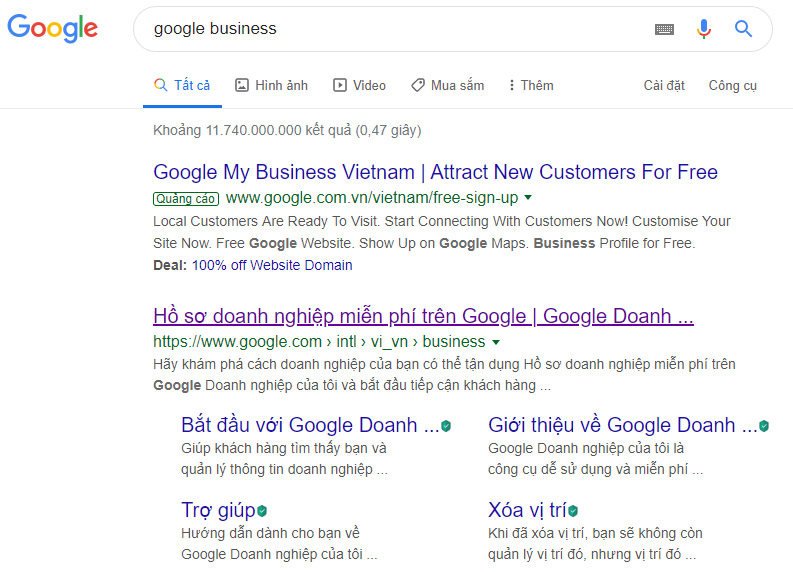
Cách thay đổi vị trí và địa chỉ trên bản đồ Google Map
How to change location and address on Google Map

Step 2: Click the Sign In button. Sign in to the Google business account owner account.

Đăng nhập Google Doanh nghiệp
Sign in to Google Business

Step 3: Click on the business you need to edit location and address
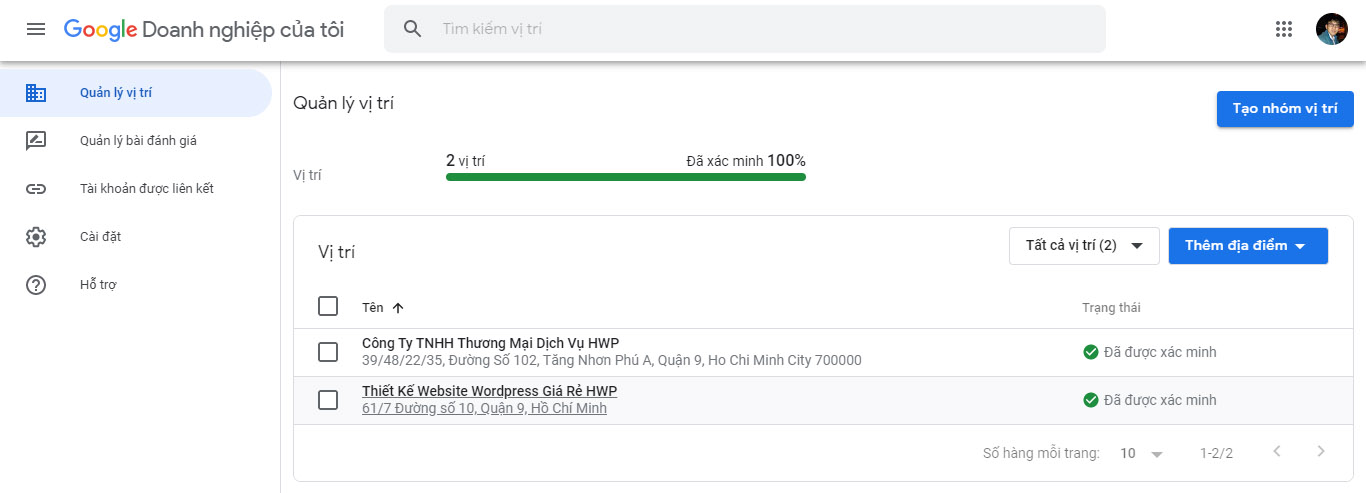
Chọn Google doanh nghiệp
Choose Google business

Step 4: Click on the “Info” menu, navigate to the address line and press the pencil icon to edit
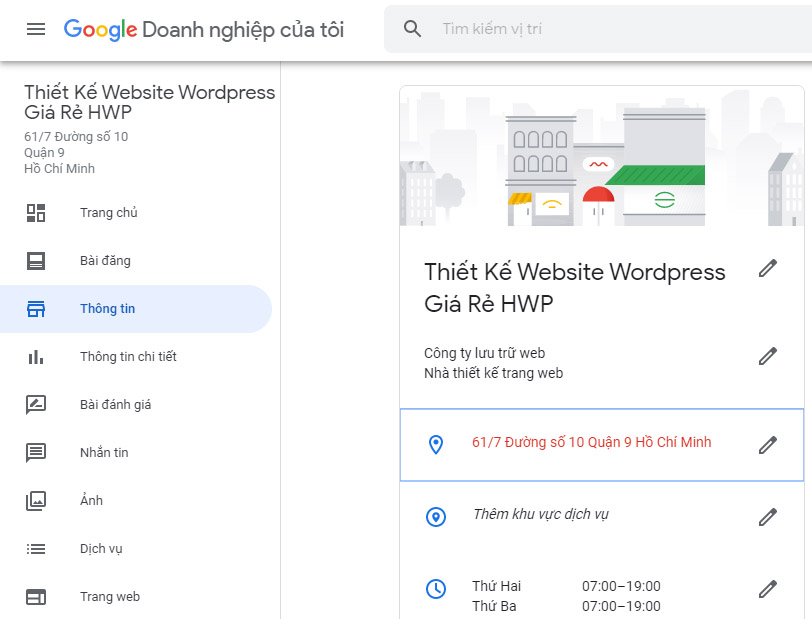
Chỉnh sửa thông tin Google doanh nghiệp
Edit Google business information

Step 5: Change the address & location again.
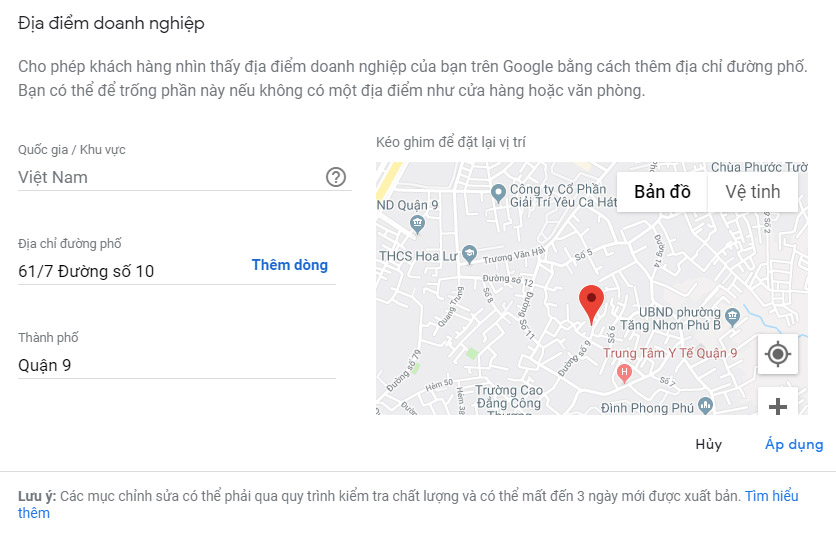
Thay đổi địa chỉ & vị trí trên Google doanh nghiệp
Change address & location on Google business

After editing the correct address & location, you press the Apply button to save. Note that, when changing information, Google will browse, so it will not be displayed immediately. Please wait for Google to update the information.


  • Share:

Bài viết liên quan

The combination of AI and IoT technology, Blockchain, and Quantum Computing.

1. AI combined with IoT technology IoT, or the Internet of Things, is a network of physical devices that can collect... Xem thêm

The challenges of developing AI in the digital age are revealed.

1. The top challenges in AI development 1.1. Lack of high-quality data Input data is a crucial factor in determining the... Xem thêm

Ethical and responsible issues in the use of AI

1. Overview of AI in Vietnam 1.1. Policy to support artificial intelligence from the government The Vietnamese government and Nvidia corporation... Xem thêm

hotline 0942 55 57 57